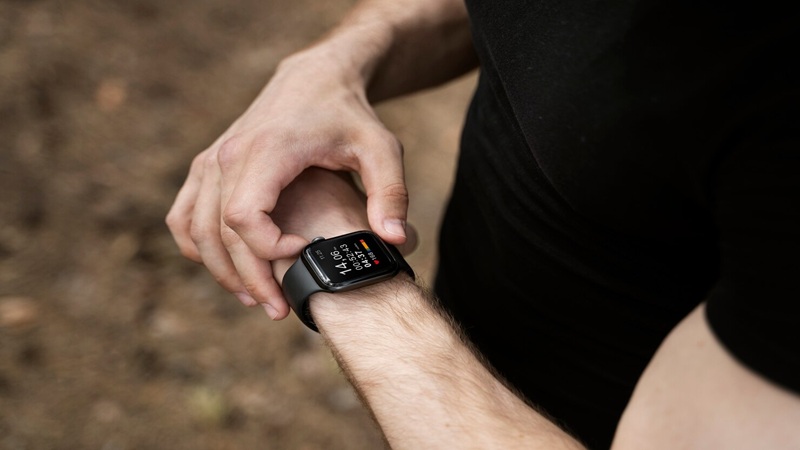
Come to think of it, I rarely find my phone to be a hassle in daily life. One exception was back in college, I hit the gym at the first time and ran on a treadmill. My phone kept bouncing around in my pocket, and I just thought, ‘This is so annoying.’
I was just a student back then, a total amateur. Buying specialized gear for carrying external gadgets like my phone never even crossed my mind. Even as I type this, I’m still a non-pro, casual runner who hits the trails once in a while. Instead of upgrading my gear, a genuinely relaxed run matters way more to me.
The solution is actually simple. As someone who wants to run lighter, I just need a GPS smartwatch and an app like Strava to track my runs.
Part 1: Do I Always Need My Phone to Track Runs on Strava?
I know I’m not the only one who wants to leave their phone behind but still needs to track runs. Strava, a social fitness app for tracking outdoor workouts, offers a perfect balance.
You don’t have to carry your phone when running or cycling.
A smartwatch with built-in GPS is enough to track runs by downloading the Strava watch app. No phone, no mobile data, and you can still use Strava.
Nothing is more convincing than the official word. Strava has made the answer clear. In Strava’s doc released on July 15, there’s a section that says:
You can record activities on Apple Watch Series 4 or later without carrying your iPhone.
But I must emphasize: while you can track runs using just the watch, recording doesn’t mean real-time syncing.
You’ll still need to upload your data to the Strava mobile app after training. Simply connect your watch to your phone or directly over the internet, and your data will be auto-synced to the account.
The thing is, Strava is working offline on the watch. Those recording and tracking features rely on the built-in GPS sensor essentially. The sensor collects data on your route, speed, and distance, saving it locally on the watch. Strava just needs permission to read the data already stored. Heart rate recording, on the other hand, uses the built-in heart rate monitor to collect the data..
Part 2: How to Use Strava on a GPS Watch to Track Runs Offline?
To use the watch standalone, you’ll need to set it up with your phone first. The prep step is needed regardless of the brand. Pairing your watch with your phone provides internet access to download apps and link your Strava account.
For Apple Watch
- Strava Supports: watchOS 10.0+, iOS 17.0+
- Series: Apple Watch Series 4 to Series 11, Apple Watch SE, Apple Watch Ultra
Step 1: Connect Apple Watch with iPhone.
- 1. Turn on both Bluetooth and Wi-Fi on your iPhone.
- 2. Bring your watch close to your phone.
- 3. Tap Continue once the prompt appears on your iPhone.
- 4. On your iPhone, tap Set Up for Myself.
- 5. Hold the watch up to your iPhone's camera, and then follow the instructions.
- 6. On your Apple watch, tap Start.
Step 2: Install Strava and Create an Account.
- 1. Go to the Apple App Store and install Strava on your iPhone.
- 2. Get a Strava account and sign in.
- 3. Manually install Strava on your Apple Watch if it is missing. Tap the Watch app on your iPhone > My Watch > Strava > Install.
Step 3: Grant Permissions for Strava.
As mentioned earlier, Strava relies on the watch’s built-in sensors for data recording. If you don’t grant permissions in settings, the workout data cannot be synced to your Strava account.
- 1. Open the Strava app on your Apple Watch. Tap Setup > OK.
- 2. Now, it's time for your iPhone. Open Strava > tap Profile picture > Setting icon > Connect an app or device > Apple watch > Get Started.
- 3. In the Set Up Checklist, tap Turn On Location Service, Motion & Fitness, and Sync with Health to allow the access.
- 4. Make sure that Automatic uploads is enabled in Health Settings. Check it in Strava Settings > Health > Health Settings.
For Garmin Watch
- 1. Open Strava on your phone. Tap You > Settings > Connect an App or Device > Garmin > Connect Garmin.
- 2. Log into your Garmin Connect account and then grant permissions.
You don’t need to touch the Garmin watch. It works automatically. As for model series, Garmin watch with built-in GPS supports Strava tracking.
===== You Should Know =====
There’s always a difference when using Strava on GPS watches and on phones. According to Runweekly’s versus post, GPS watches perform better in the following aspects:
- Tracking accuracy - phones overestimate distance, representing a 10% margin of error.
- Battery endurance - phones drain the battery faster. And most GPS watches can last 12-20 hours.
However, safety deserves more attention, particularly during long runs and mountain climbing. Watches fall short of phones in complex environments, such as remote areas and weather. While smartwatches can provide basic positioning, phones are still your ultimate backup for navigation and emergency communication in tough terrains. Always carry one as a safety net.
Advanced Guide: How to Use Your Watch as a Navigator with Strava
Strava adds navigation features to its app this year:
- Route Following (no phone required)
- Smart Watch Route Sync
- Offline Routes
- Others
The new features are open to GPS watches like Apple Watch, Garmin, and Coros devices. And these route-related features need to work with Strava’s Heatmap - as you open it via strava.com, you can search for others’ routes or create your own one. Once you save a route, it syncs to both your phone and GPS watch.
To follow a route on your watch, you can:
- 1. Tap Strava on your watch.
- 2. Among the sport type selection, find Route > pick one of your saved routes.
- 3. Now your watch will start recording.
- 4. If you want to see the map, just swipe up.